> ## Documentation Index
> Fetch the complete documentation index at: https://docs.topsort.com/llms.txt
> Use this file to discover all available pages before exploring further.

# Measurement and Planning

export const LastUpdated = ({date, lang = "en"}) => {
  const translations = {
    en: "Last updated:",
    es: "Última actualización:",
    pt: "Última atualização:",
    fr: "Dernière mise à jour:",
    de: "Zuletzt aktualisiert:"
  };
  const label = translations[lang] || translations.en;
  return <>
<style>{`
.last-updated-component {
display: inline-flex;
align-items: center;
gap: 8px;
padding: 10px 16px;
border-radius: 8px;
margin-top: 12px;
margin-bottom: 16px;
font-size: 14px;
background-color: rgba(0, 0, 0, 0.05);
border: 1px solid rgba(0, 0, 0, 0.12);
color: rgba(0, 0, 0, 0.75);
line-height: 1;
}

        .last-updated-component svg {
          flex-shrink: 0;
          vertical-align: middle;
        }

        .last-updated-component span {
          display: inline-flex !important;
          align-items: center !important;
          line-height: 1 !important;
        }

        [data-theme="dark"] .last-updated-component {
          background-color: #3a3a3a;
          border: 2px solid #888888;
          color: #ffffff;
        }

        [data-theme="dark"] .last-updated-component svg {
          stroke: #ffffff;
        }
      `}</style>
      <div className="last-updated-component">
        <svg width="16" height="16" viewBox="0 0 24 24" fill="none" stroke="currentColor" strokeWidth="2" strokeLinecap="round" strokeLinejoin="round">
          <circle cx="12" cy="12" r="10" />
          <polyline points="12 6 12 12 16 14" />
        </svg>
        <span>
          <strong style={{
    fontWeight: 600
  }}>{label}</strong> 
          <time dateTime={date}>{date}</time>
        </span>
      </div>
    </>;
};

<div style={{textAlign: 'justify', marginBottom: '1.5rem'}}>
  This suite of tools provides the insights needed to measure campaign effectiveness across channels, attribute conversions accurately, and make data-driven strategic decisions about your ad inventory.
</div>

## Unified Attribution

<div style={{textAlign: 'justify', marginBottom: '1.5rem'}}>
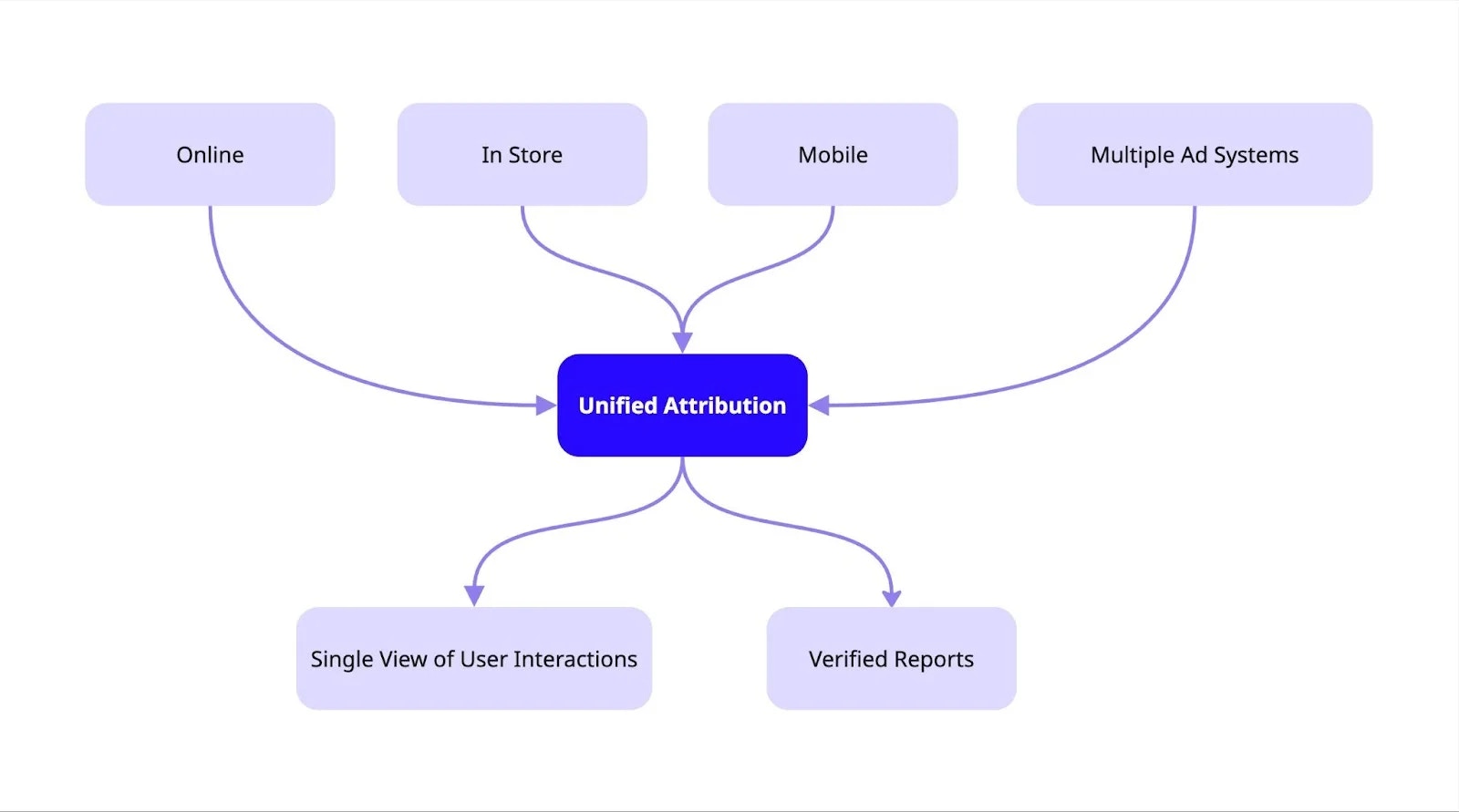
  Provides a complete, cross-platform view of how your advertising efforts lead to conversions. It solves the challenge of tracking user journeys across multiple channels (e.g., online, in-store, mobile) by accurately attributing sales to the correct ad touchpoints. This enables smarter ad spend and provides transparent, trustworthy reporting for your vendors.
</div>

<Frame>
  <img src="https://mintcdn.com/topsort/FVdFH6-GAInpFZWG/images/knowledge-base/ad-intelligence-measurement-planning-unified-attribution-diagram.webp?fit=max&auto=format&n=FVdFH6-GAInpFZWG&q=85&s=930d6c577ad597b7519e20b2f3867c3f" alt="Diagram of unified attribution component." width="1600" height="891" data-path="images/knowledge-base/ad-intelligence-measurement-planning-unified-attribution-diagram.webp" />
</Frame>

## Forecasting

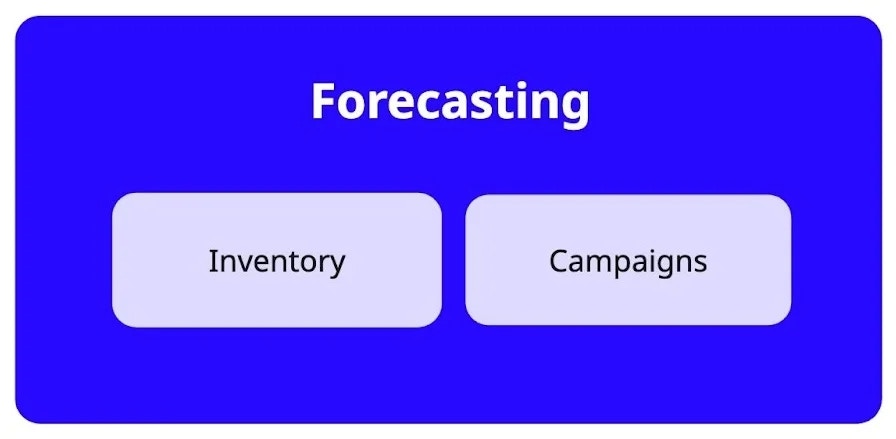
Predicts future ad performance metrics like traffic, impressions, and revenue. It empowers your teams with data-driven projections to optimize ad inventory, set realistic campaign expectations for advertisers, and improve high-level financial planning.
<Frame>
  <img src="https://mintcdn.com/topsort/FVdFH6-GAInpFZWG/images/knowledge-base/ad-intelligence-measurement-planning-forecasting-diagram.webp?fit=max&auto=format&n=FVdFH6-GAInpFZWG&q=85&s=2513e19a88e2311d3b2898c017586325" alt="Diagram of forecasting component" width="896" height="439" data-path="images/knowledge-base/ad-intelligence-measurement-planning-forecasting-diagram.webp" />
</Frame>

***

<LastUpdated date="2025-11-18" />
