> ## Documentation Index
> Fetch the complete documentation index at: https://docs.topsort.com/llms.txt
> Use this file to discover all available pages before exploring further.
# Managed Payments—Pre and Post-Paid
export const LastUpdated = ({date, lang = "en"}) => {
const translations = {
en: "Last updated:",
es: "Última actualización:",
pt: "Última atualização:",
fr: "Dernière mise à jour:",
de: "Zuletzt aktualisiert:"
};
const label = translations[lang] || translations.en;
return <>
;
};
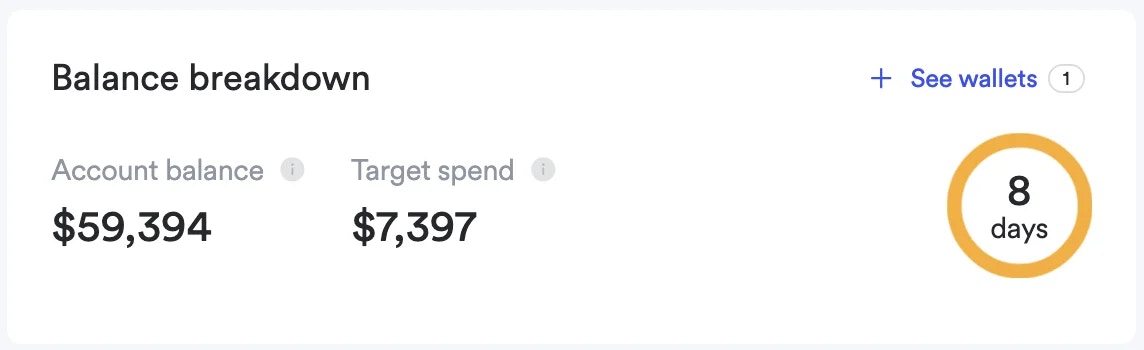
In Managed payment mode, marketplace administrators control the vendor's credit. This credit, like the example balance of \$59,394, isn't real money but a usable balance for vendor ad campaigns. This credit can be issued through either a pre-paid or post-paid arrangement.
 ## Pre and Post-Paid Arrangements
You can set up your billing with vendors in two ways:
* **Pre-paid:** You collect payment from the vendor first, then add credits to their account.
* **Post-paid:** You provide vendors with a line of credit (by topping up their wallet), and then invoice them monthly based on their ad spend.
Use our [Billing API](/en/ad-server/additional-apis/billing/) and our reporting dashboard to keep track of vendor balance usage.
## Use Cases
Pre-paid options are ideal for new vendors, allowing marketplaces to mitigate initial risks. They're also suited for smaller marketplaces that benefit from budget control or for funding specific, short-term ad campaigns.
On the other hand, post-paid options are often preferred for established, high-volume advertisers. These models allow for ongoing campaigns with monthly invoicing, simplifying accounting for both the marketplace and the advertiser.
***
## Pre and Post-Paid Arrangements
You can set up your billing with vendors in two ways:
* **Pre-paid:** You collect payment from the vendor first, then add credits to their account.
* **Post-paid:** You provide vendors with a line of credit (by topping up their wallet), and then invoice them monthly based on their ad spend.
Use our [Billing API](/en/ad-server/additional-apis/billing/) and our reporting dashboard to keep track of vendor balance usage.
## Use Cases
Pre-paid options are ideal for new vendors, allowing marketplaces to mitigate initial risks. They're also suited for smaller marketplaces that benefit from budget control or for funding specific, short-term ad campaigns.
On the other hand, post-paid options are often preferred for established, high-volume advertisers. These models allow for ongoing campaigns with monthly invoicing, simplifying accounting for both the marketplace and the advertiser.
***