The Toppie API is authenticated via bearer tokens. Requests must include an authorization header containing a Toppie agency API key. These keys start with TAS_ and are created in the Toppie UI. If the header is missing or invalid, the HTTP response code will be 401 Unauthorized.
Marketplace (TSE_) and Advanced (TSC_) API keys from Topsort Admin are rejected on /public/v1/toppie/* with 401 Unauthorized. The generic security scheme in the endpoint reference mentions those keys. For Toppie, use a TAS_ key.

Obtaining an API Key

1

Open API Integration

In the Toppie dashboard, click Settings, and then select API Integration in the left-hand menu.
2

Generate API Key

Click the + New API Key button.
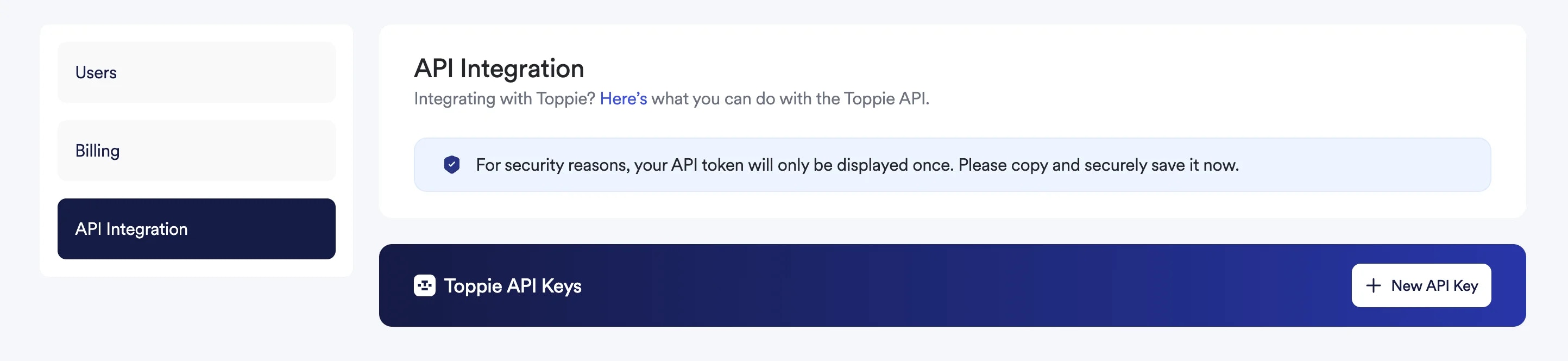
Toppie API Integration settings page showing the New API Key button
3

Copy Key

The key is shown only once. Copy it and store it in a secrets manager or an environment variable.
4

Use API Key

Use the API key on your servers, in the Authorization header of every request.
Each key belongs to one Toppie account and has full access to it: it can read and change that account’s campaigns, and read its reports and products, but nothing outside the account. An agency that manages several brand accounts needs one key per account, created from that account’s settings.

Managing Keys

Keys do not expire, and an account can have more than one key. The API Integration page lists the account’s keys, where you can rename or delete them. A deleted key stops working within 5 minutes. To rotate a key, create a new one, update your integration to use it, and then delete the old key.

Authentication Errors

See Toppie errors for the error body and the other status codes.
Keep API keys secret, this is not a public key. Do not share it with your frontend or clients, and never commit it to a code repository. Rotate keys regularly, and when someone with access leaves the team.