

Finance is available under Management in the Admin Dashboard. It is a central hub for managing and monitoring financial aspects
related to ad spend and vendor balances, organized into three sections:
Trends, Balance/Ad Spend Summary, and Activity Log.
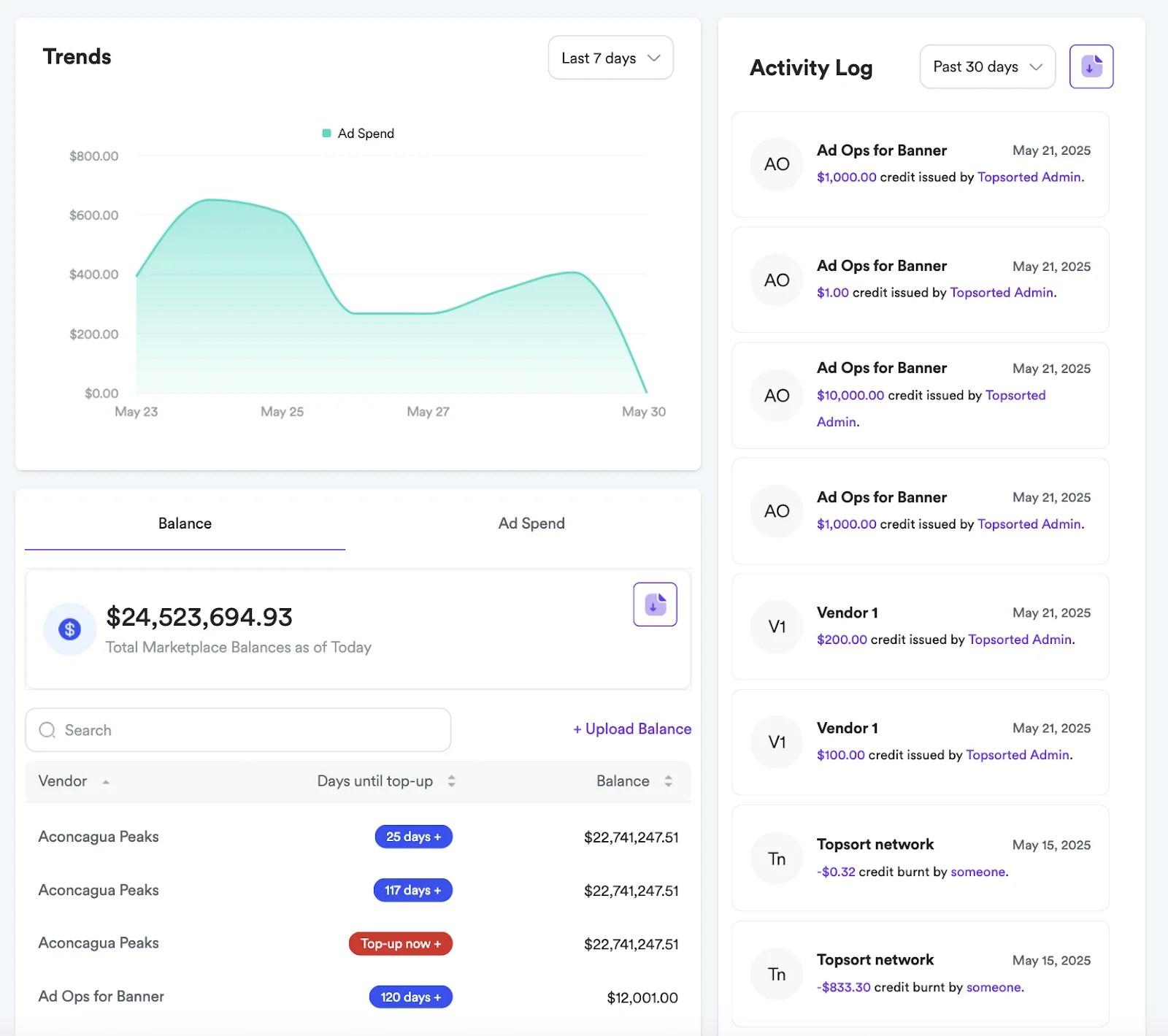
Trends Section
This section shows adspend over a definable period, allowing users to select
different timeframes for analysis.
Balance and Ad Spend Summary
This section provides a financial summary of balances and aggregated ad spend,
with two distinct views: “Balance” and “Ad Spend.”
In “Balance” mode, it displays the total marketplace balances. Users can
search vendors and adjust balances.
In “Ad Spend” mode, it shows total ad spend for a selected month. Users can
filter vendors, and a table presents “Vendor” and their “Ad Spend,” along with
an action icon for further management.
Also, tools are available to bulk update vendor balances and to download
balance and ad spend as a CSV file.
Activity Log
This section shows recent financial transactions. Each entry details the user,
activity description, transaction amount and date. You can also download a CSV
file with the activity log of the selected timeframe.