

Sponsored Brands combines text, images, and displayed products to build
brand awareness and help shoppers discover your product range. Choose a
pre-built template or build a custom template.
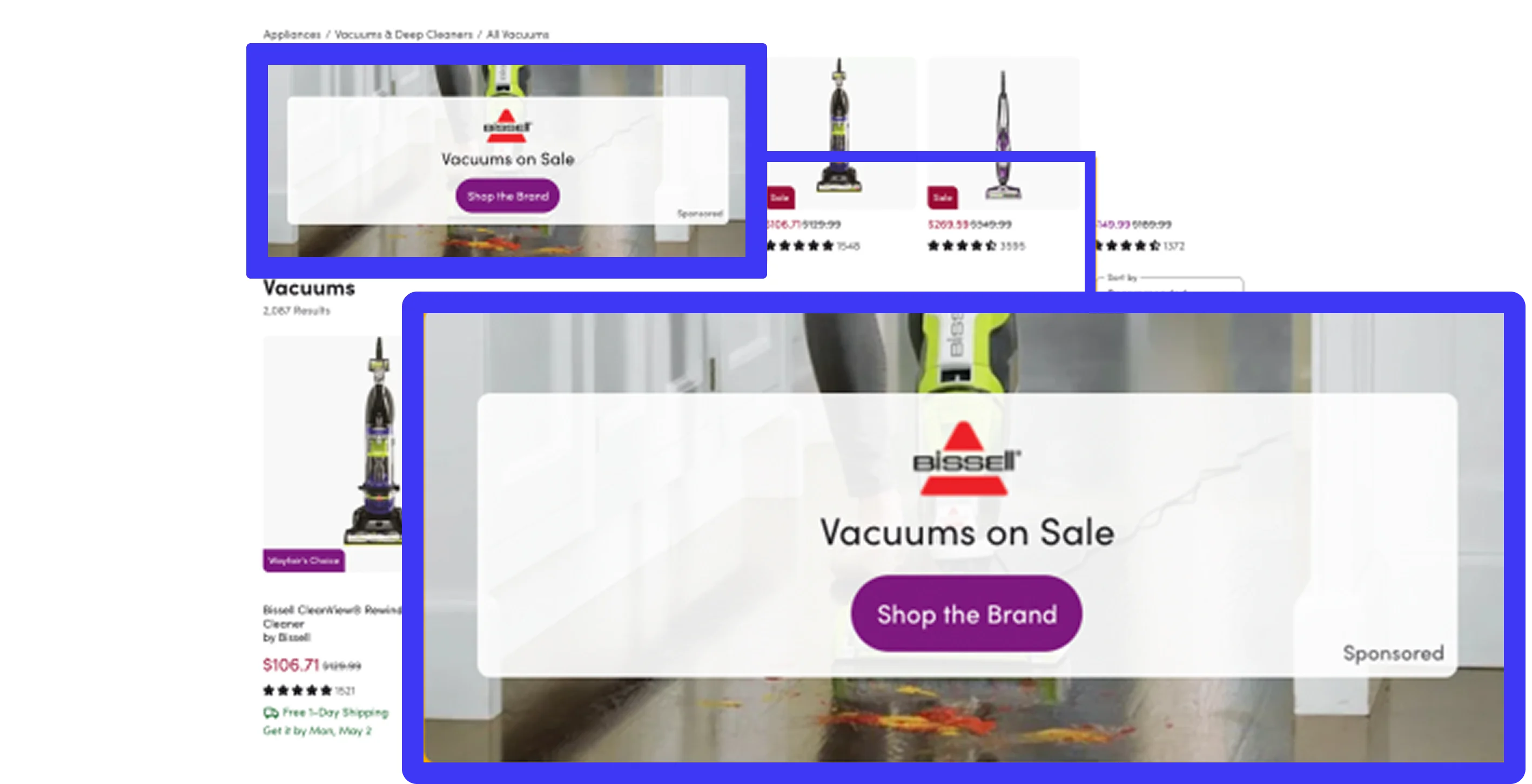
Key Features
- Multiple products per campaign: Include products in a single sponsored brand campaign for better product discovery
- Video and enhanced creatives: Upload videos (MP4) and images (JPEG, PNG, WEBP, GIF) up to 5MB per asset for more engaging ad experiences
- Flexible templates: Choose a pre-built Product Collection, Product Highlight, or Store Spotlight template, or build a custom template with combinations of text fields, image fields, and displayed products.
- Bulk campaign creation: Create multiple campaigns from a spreadsheet instead of setting up each one individually.
- Flexible pricing models: Choose between cost-per-click (CPC) and cost-per-thousand-impressions (CPM) bidding
- Enhanced destinations: Direct shoppers to product pages, vendor pages, or custom URLs
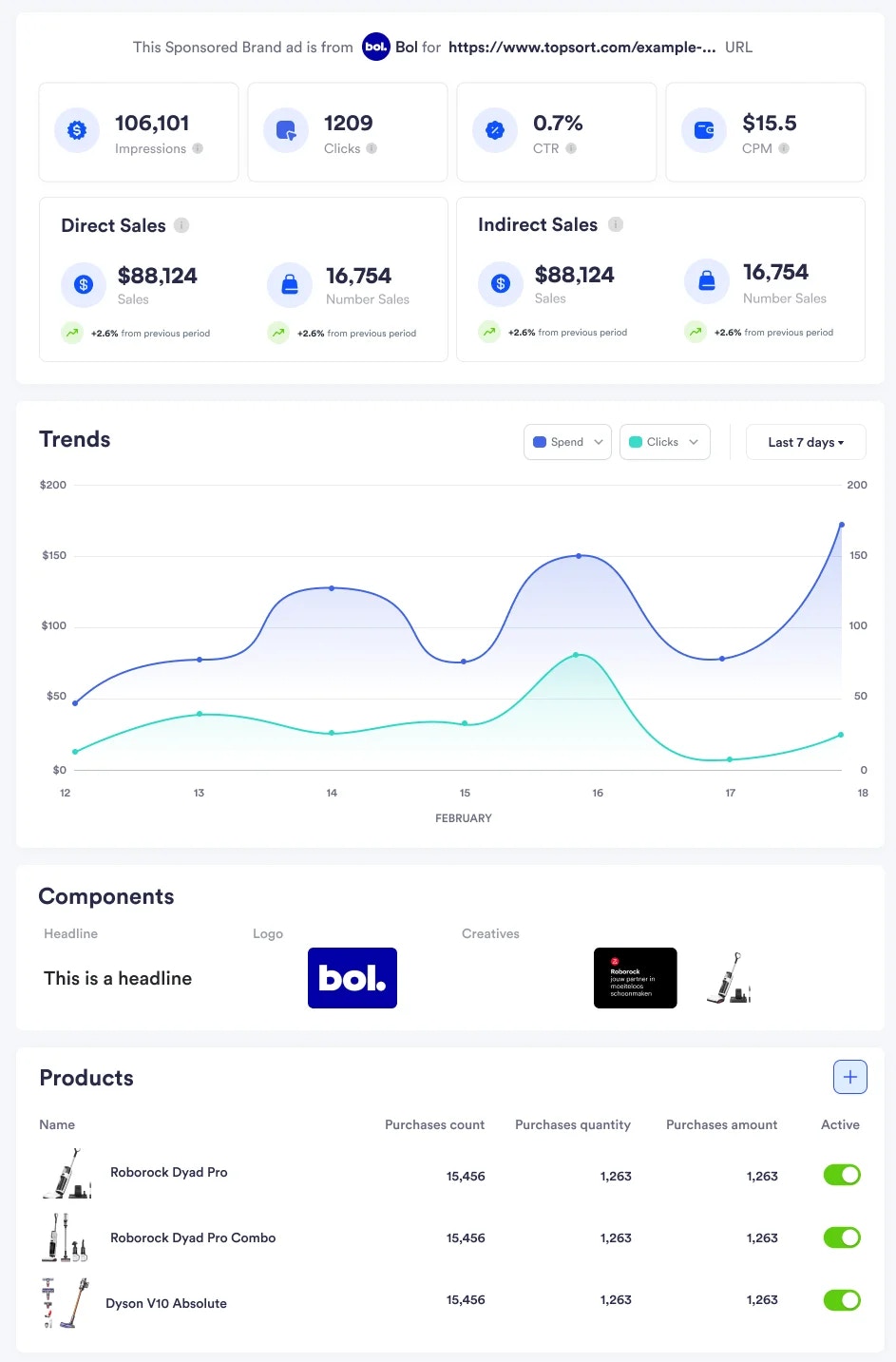
- Comprehensive analytics: Monitor campaign performance with detailed metrics and promoted sales attribution
Sponsored Brands Use Cases
Brand Awareness Campaigns
- Objective: Increase brand visibility and recognition
- Recommended Products: 2-5 products representing your brand range
- Creative Focus: Strong brand logo, compelling headlines, high-quality visuals
- Targeting: Broad audience segments with brand affinity
- Bidding: CPM for maximum impression reach
Product Discovery Campaigns
- Objective: Help customers discover specific products or product categories
- Recommended Products: 3-5 related products from the same category
- Creative Focus: Product-focused imagery, clear product benefits
- Targeting: Category-specific keywords and interested audiences
- Bidding: CPC to drive product page visits and conversions
Video-Enhanced Campaigns
- Objective: Engage customers with dynamic video content
- Recommended Products: 1-3 products to maintain focus on video content
- Creative Focus: High-quality video (under 5MB) showcasing products in use
- Targeting: Video-engaged audiences and mobile users
- Bidding: CPM for video view optimization
How It Works
1
Choose a Pre-built or Custom Template.
2
Configure Creative Assets
3
Select Products to Promote
4
Set Bidding Strategy
5
Configure Campaign Settings
6
Launch and Monitor
Campaign Management Features
Campaign Analytics
Monitor campaign performance with comprehensive metrics:
- Impressions and clicks by campaign
- Promoted sales attribution with multi-product tracking
- Campaign-level performance insights and ROI analysis
Getting Started
To begin using Sponsored Brands:
- Access the Admin Dashboard: Navigate to the Sponsored Brands section under Ads Format
- Choose a Template: Use a pre-built template or build a custom template with the text fields, image fields, and displayed products you need.
- Create Campaigns: Follow the individual campaign creation flow or use Bulk Create to create multiple campaigns from a spreadsheet.
- Monitor Performance: Use the enhanced analytics dashboard to track campaign success
For detailed guidance on specific features:
- Campaign Creation - Step-by-step campaign setup guide
- View Sponsored Brands Details - View campaign performance details
- Auction Requests & Responses - API reference for sponsored brands auctions
- Slot Configuration - Configure sponsored brands ad slots