

You can check how your sponsored brands campaign is performing in the campaign
dashboard.
Campaign Overview
The sponsored brands campaign details page provides a comprehensive view of
your campaign’s performance and settings. When a campaign is newly created,
the dashboard shows the basic campaign information with minimal performance
data until the campaign begins generating impressions and clicks.
Campaign Management Features
Campaign Status Control
- Campaign Toggle: Use the green switch to quickly turn the entire campaign on or off
- Budget Management: Click the pencil icon to adjust campaign budget settings
- Campaign Information: View campaign name, template type, duration, and current status
Creative Assets Overview
View all campaign creative components:
- Brand Logo: Display of uploaded brand logo
- Campaign Headline: Current headline text
- Additional Creatives: Videos or additional images used in the campaign
- Template Type: Shows which template the campaign uses (Product Collection, Store Spotlight, or Video)
Product Management
- Product Selection: View all products (1-5) included in the campaign
- Product Status: Individual toggle switches to activate/deactivate specific products
- Product Performance: Individual product metrics when data becomes available
- Product Links: Destination URLs for each product in the campaign
Performance Metrics
Initial Campaign State
When a sponsored brands campaign is newly created, the dashboard displays:
- Campaign basic information and settings
- Creative asset preview
- Product list with active/inactive status
- Zero or minimal performance data until campaign gains traction
Performance Data Development
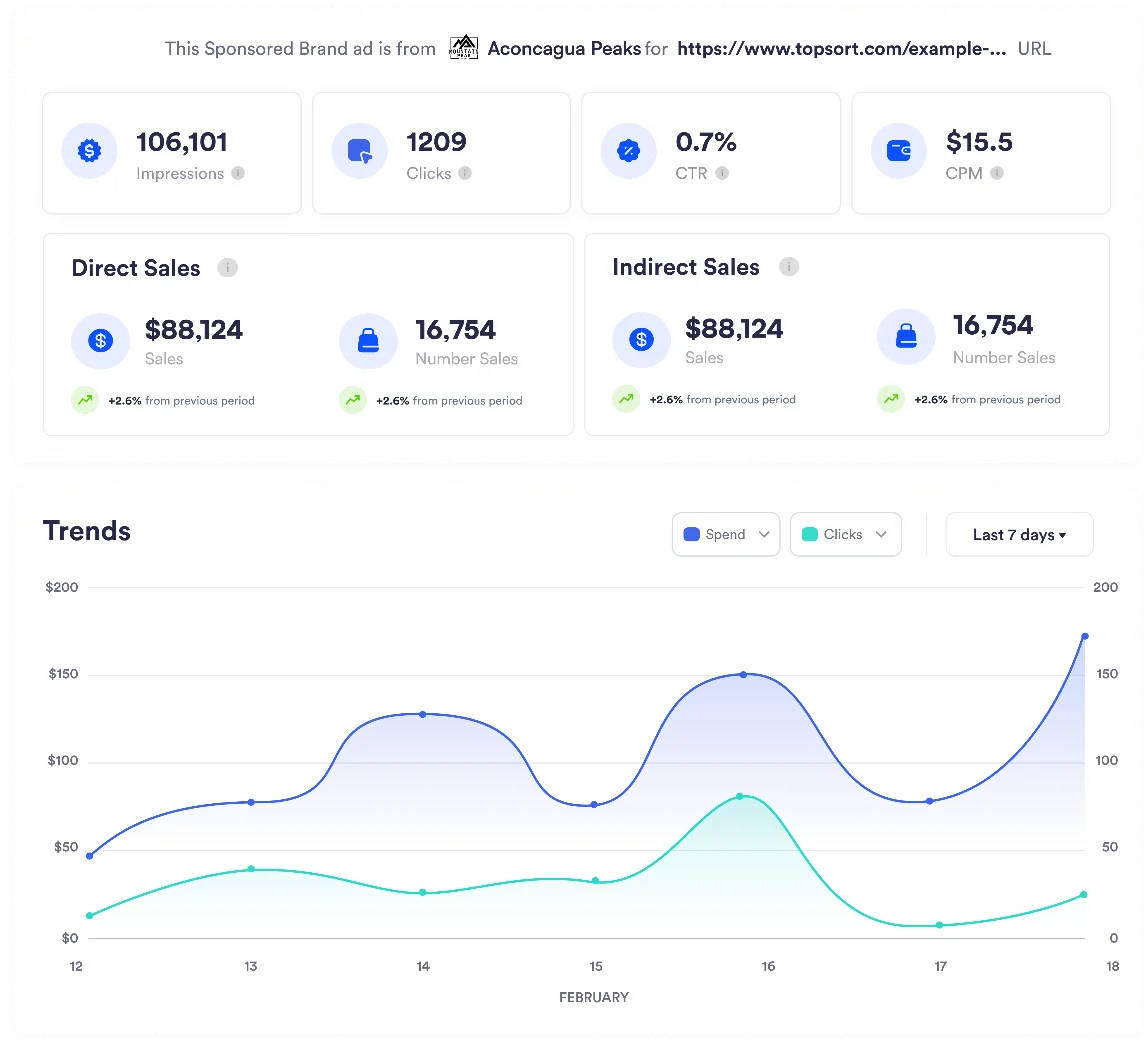
As the campaign progresses, the following metrics become available:
- Impressions: Total number of times the sponsored brand ad was shown
- Clicks: Number of clicks on the sponsored brand creative or products
- CTR (Click-Through Rate): Percentage of impressions that resulted in clicks
- Spend: Total campaign budget spent
- CPM/CPC: Cost metrics based on bidding strategy
- Conversions: Product purchases attributed to the campaign
If a product is set to active: “false” via API or product feed updates due to
lack of stock, it’s automatically switched off in the campaign dashboard.
Refer to the Catalog
Synchronization
section for more information.