

December 1, 2025Ad PlatformImprovement
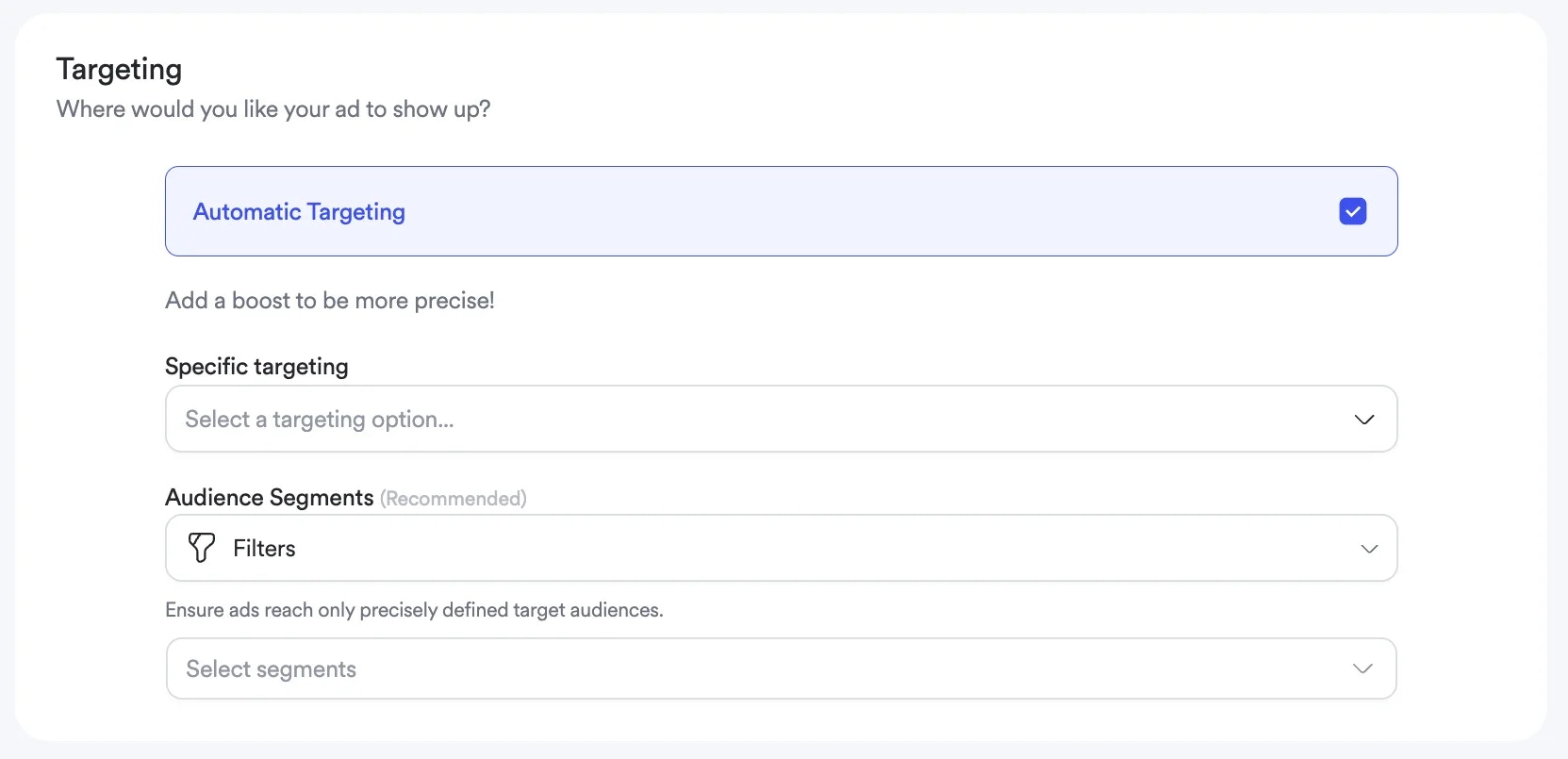
Why It’s ImportantWe’ve improved Sponsored Brands to provide professional-grade campaign management capabilities including audience targeting with frequency capping, bulk product upload, and product ID search. These updates streamline campaign creation workflows and enable more sophisticated targeting strategies for better performance.
Key Benefits
Audience-Level Precision: Target specific customer segments with pre-defined audiences, ensuring campaigns reach the most relevant users while frequency capping prevents over-exposure and ad fatigue. Faster Product Selection: Upload up to 40 products instantly via CSV instead of selecting them manually one by one, dramatically reducing time spent on campaign setup for large product sets. Streamlined Product Discovery: Search products by product ID or name, with automatic parent product resolution for child product IDs, making it faster to find and add specific products to campaigns. Intelligent Product ID Handling: The system automatically resolves parent-child product ID relationships and deduplicates entries, ensuring your campaign includes the correct parent products without manual verification.What’s Improved
Audience Targeting with Frequency Capping
Advertisers can now target pre-defined audience segments within Sponsored Brands campaigns. During the targeting step, select from available audience segments to ensure ads reach only precisely defined groups. Frequency capping controls limit the number of times campaigns appear to the same user, with configurable impression limits per day, per week, or in total. This prevents ad fatigue and optimizes budget allocation by controlling exposure rates. Audience targeting works alongside existing category, keyword, and location targeting, adding an additional layer of precision to campaign configuration.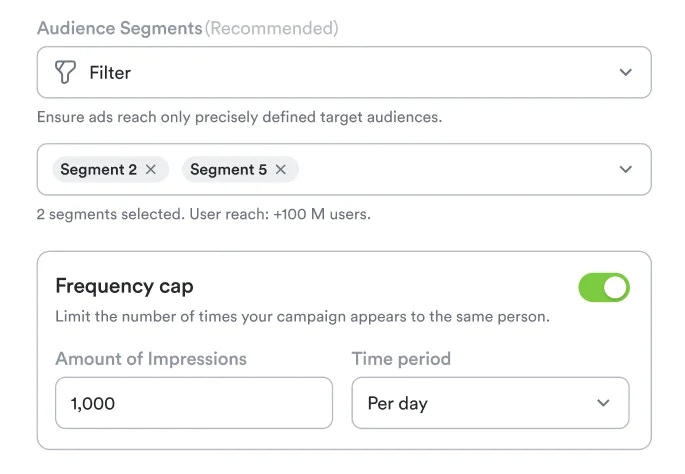
Bulk Product Upload
Campaign creation now supports bulk product selection through CSV upload. Upload a file containing product IDs (one per row) to add up to 40 products instantly. The system automatically handles parent-child product ID relationships, deduplicates entries, and validates product IDs against your catalog. After upload, see a summary showing how many products matched successfully and which IDs weren’t found.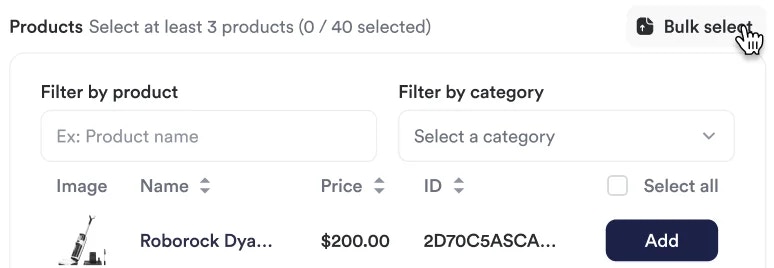
Product ID Search
Product selection now includes a dedicated “Search by ID” field alongside the existing product name search. Enter product IDs to quickly locate specific products without browsing through categories or searching by name. The system accepts both parent and child product IDs and automatically resolves to the appropriate parent product. This provides three flexible ways to find products: search by name, search by ID, or browse by category.Use Cases
High-Value Product Launches: Use audience targeting to reach premium customer segments while frequency capping ensures these audiences aren’t overwhelmed with repeated impressions. Large Catalog Management: Bulk product upload eliminates hours of manual product selection when creating campaigns for broad product categories or seasonal collections. Specific Product ID Campaigns: When working with specific product IDs provided by brand partners or internal teams, product ID search allows direct lookup without navigating category hierarchies, speeding up campaign setup when exact product lists are already defined.Getting Started
- Configure Audience Segments - Admin users set up available audience segments at the marketplace level (required only for audience targeting)
- Create Sponsored Brands Campaign - Navigate to campaign creation in the Admin Dashboard and complete the basic campaign details
- Select Targeting Options - In the targeting step, choose audience segments if desired, and enable frequency capping to control impression rates
- Add Products Efficiently - Use bulk CSV upload for large product sets or search by product name or product ID for individual products
- Launch and Monitor - Activate your campaign and track performance through existing analytics, with audience and product-level insights available
API Support
Audience targeting is now available through the Sponsored Brands campaign create and edit API endpoints. IncludemultiplierConfig and targetingFilters parameters in request bodies, matching the structure used in Listing and Banner APIs for consistency. This enables programmatic campaign creation with audience targeting and frequency capping configured through API calls.
These enhancements to Sponsored Brands campaign management are available now in the Admin Dashboard and through the API. Contact your account manager to configure audience segments for your marketplace and begin using these streamlined workflows.